Documentize PDF - Online PDF Tools
We're a fast-paced team, and we're releasing tons of new features every week. Keep an eye on our blog for updates.
Automate your document workflows from the command line. The Documentize CLI plugin catalog gathers ready-to-run tools for PDF conversion, OCR, data extraction, editing, and security in one place. Each plugin ships as a self-contained, cross-platform zip with binaries, documentation, and usage examples, so you can browse the catalog, pick the tool you need, download it, and start processing documents in your own scripts and pipelines within minutes.
Documentize Cloud is the developer platform for document processing: describe multi-step work — convert, OCR, merge, AI — as one YAML pipeline, choose where it runs (hosted, serverless or self-host) and follow every file and step as it runs.
Instead of working with multiple separate files, you can collect related information into a single document or folder, making your data easier to find and manage. Sending or uploading a single file is more convenient than working with several files, reducing the risk of errors. Combine datasets for comprehensive analysis by combining multiple sources. Manage large volumes of data or documents more efficiently. Create comprehensive records and reports, ensuring all relevant data is included. Save time and effort in file management. Combining tables and charts with the data you need to analyze and explore the data helps you create informative visualizations. File merging improves organization, efficiency and data/document management in personal, academic, professional and business contexts.
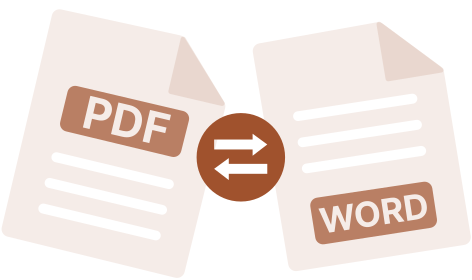
File conversion is an important and versatile process that meets a variety of needs, such as ensuring compatibility, optimizing files for different purposes, preserving data, and improving security. It plays a vital role in our digital world, allowing us to work efficiently with files across applications, devices and contexts. Our file converter is not only capable of converting similar file types, but can also extract PDF properties and save them to XML.
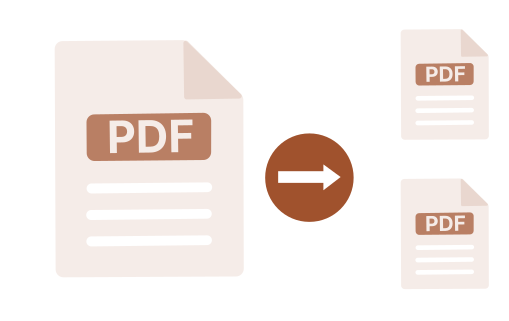
Easily split large files into smaller, more manageable pieces. If the files have pages, you can specify which pages to extract into a separate file. This can be useful, for example, when you don't want to reveal the secret contents of a file in general and only want to share some data. Or the entire file is too large and you want to reduce the cost of distributing it over the network. In any case, our web application will come in handy.
If you think your file is too big and you want to replace it with a smaller one, you can use this web application. It is designed to reduce file size without losing its content. You can only lose the quality of the file, so just in case, do not delete the original and choose a compression ratio to get the best ratio of size and quality.
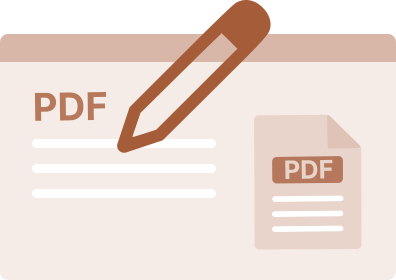
Please note that our PDF editor may not function properly when using Firefox browser. However, our editor offers various capabilities such as creating curved lines, adding text, deleting rectangular or elliptical areas, and inserting images. You can also customize the font, color, and size of the text. Additionally, the alpha color channel is fully supported. Any added objects can also be rotated in 45-degree increments.
This web app is useful if, for example, your mobile app doesn't have the ability to search for words in PDF files. Or, more relevantly, when a PDF file is created by scanning printed materials or converting the original to a bitmap image. For this case, the application has optical character recognition (OCR), thanks to which the file is first transformed into such that you can select text in it and search for it, and only then the search takes place as in the complete file. .

This is a very convenient web application for grouping PDF file components of the same type. It analyzes the file, then extracts its components and groups them into folders or files: pictures to pictures, text to text, tables to tables, etc.
The program is equipped with OCR (Optic Character Recognition) technology. Thanks to this, it will become an indispensable assistant in converting a PDF file obtained by scanning into such a PDF file that you can search for text, words and even highlight them, copy them to the clipboard for later use.
Documentize is a free, browser-based platform for working with PDF, Word, Excel, PowerPoint, images and other electronic documents. It brings merging, converting, splitting, compressing, editing, signing, recognizing text with OCR, searching and parsing tools together in one place, so you no longer need several separate applications to turn raw files into a finished, shareable document.
There is nothing to install and no account to create. Upload your files directly in the browser, pick the tool you need, and download the result within seconds. Because all processing happens on our servers, Documentize works the same way on Windows, macOS, Linux, tablets and smartphones - all you need is an internet connection.
With support for more than 30 file formats, from PDF, DOCX and XLSX to JPEG, PNG and TIFF, Documentize covers everyday document tasks such as combining scanned pages into one PDF, converting a presentation to Word, splitting a large report into chapters, compressing a file before sending it by email, or extracting text and metadata for further use. Scanned or skewed pages can be automatically straightened and turned into searchable text with built-in OCR, so paper documents become as easy to work with as digital ones. Students, freelancers, small businesses and large teams rely on it to save time on routine document work.
Every uploaded file is processed automatically and removed from our servers after 48 hours, so there is no manual cleanup and no long-term storage of your data. Processing is completely free, with no registration, no captcha and no waiting lists - use it as often as you need, whenever you need it.
48 hours
The result storage time
10571
Processed files
45 sec.
Average task execution time
30+
Supported formats
How-to guides for every app
Step-by-step guides for each tool, with commands and code that were run and checked.
- Add Table of Contents to PDF: web app and CLI
- Add tables to PDF files: web app and CLI
- Advisor: web app
- Ask questions from PDF files: web app and MCP
- Assembly Chat: web app and CLI
- Booklet: web app
- Chat with AI to generate PDF: web app and CLI
- Code Graph: web app
- Collage: web app and CLI
- Compress PDF files: web app and MCP
- Convert PDF files: web app, CLI and MCP
- Convert PDFs to a Markdown knowledge‑base wiki: web app and CLI